
Local-First Sensitive Data Protection
Local-First Data Guardrails for AI Workflows
Lintern scans your text and files to catch sensitive data using deterministic rules and optional local semantic matching—before it's shared, exported, or published.
Core scanning runs entirely on your device - your data never leaves.
Detect sensitive data
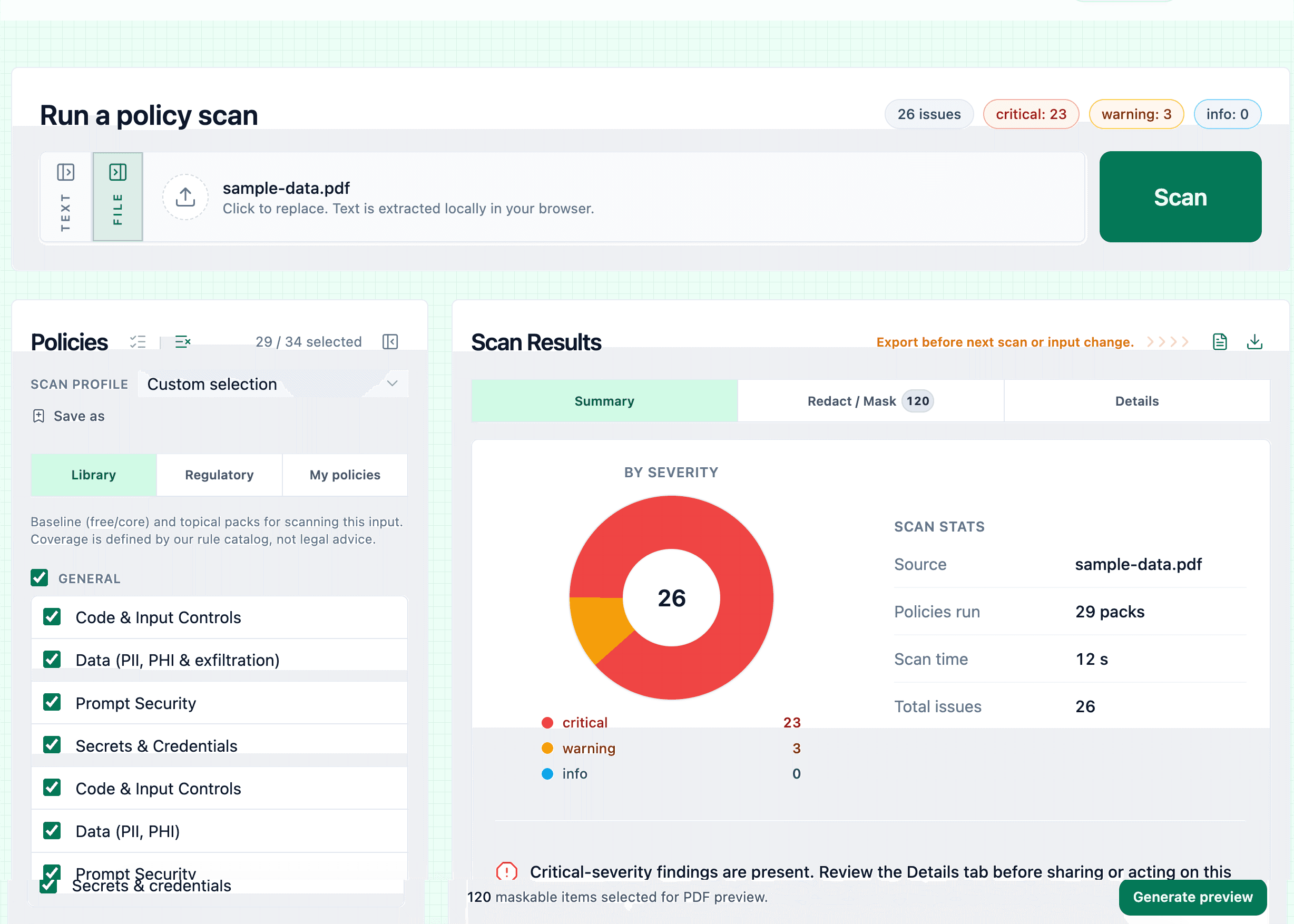
Turn on policy packs that match the risks you care about—so nothing important is left to guesswork.
- Surface PII, PHI-style identifiers, API keys and secrets, paths, and other policy-relevant patterns.
- Save scan profiles to reuse the same checklist on the next document or paste.
- Rule matching runs locally on your device—not by uploading your content for server-side scanning.
Scan locally in your browser
Core scanning stays in your browser on your device. Optional local semantic matching (on supported plans) helps catch nuanced or less exact matches—no cloud LLM required for the core scan.
- Optional local semantic matching complements rule-based detectors for trickier or less exact matches.
- Core scanning stays in the browser instead of uploading content for cloud analysis.
- Paste text or drop .txt, .pdf, .docx, and .xlsx for local extraction and review.
Review findings and export reports
Organized results and downloads when you need to share evidence or work through fixes.
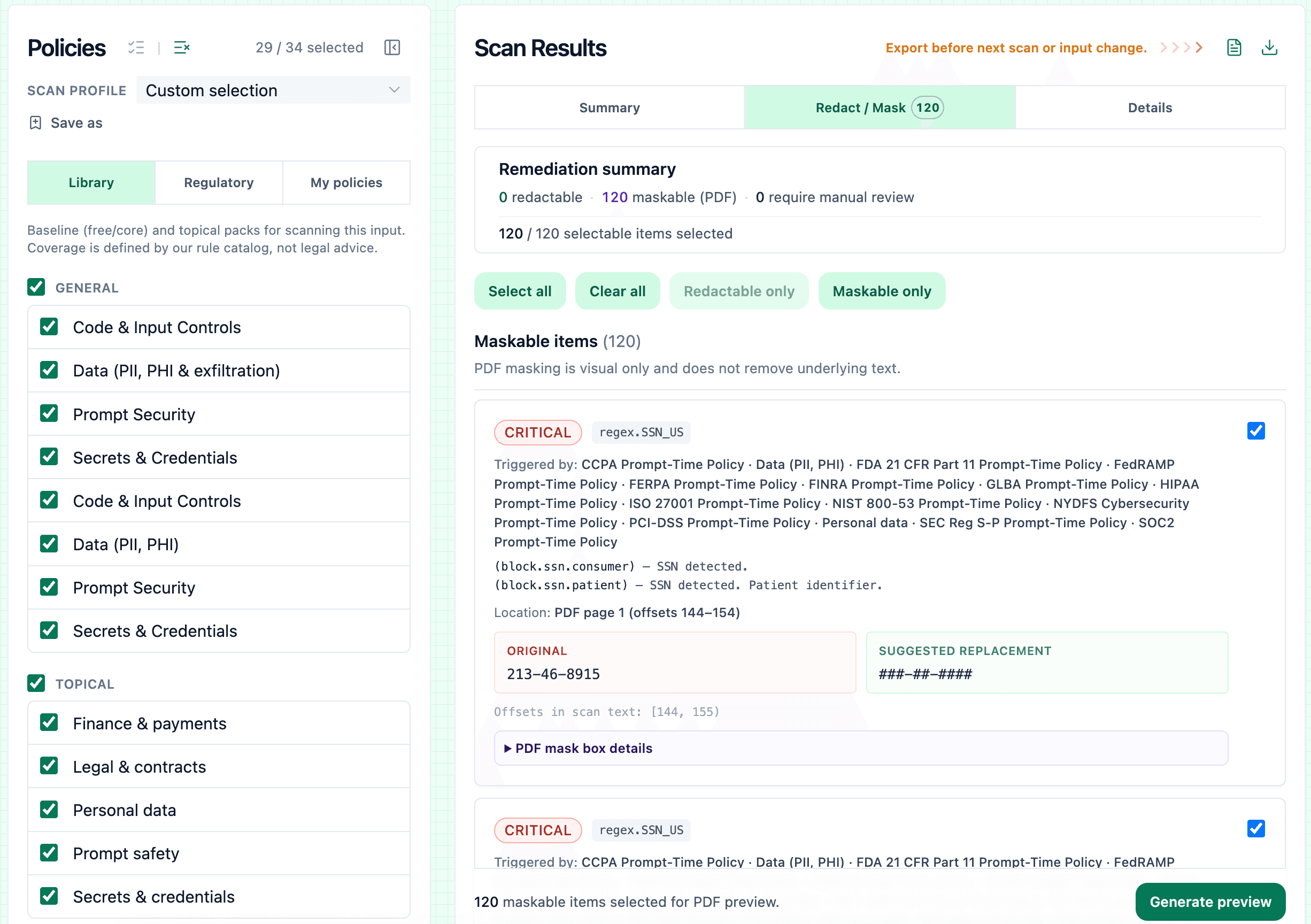
- Browse findings by policy or severity; see summaries and per-issue detail.
- Export PDF reports and CSV for audits, tickets, or spreadsheets.
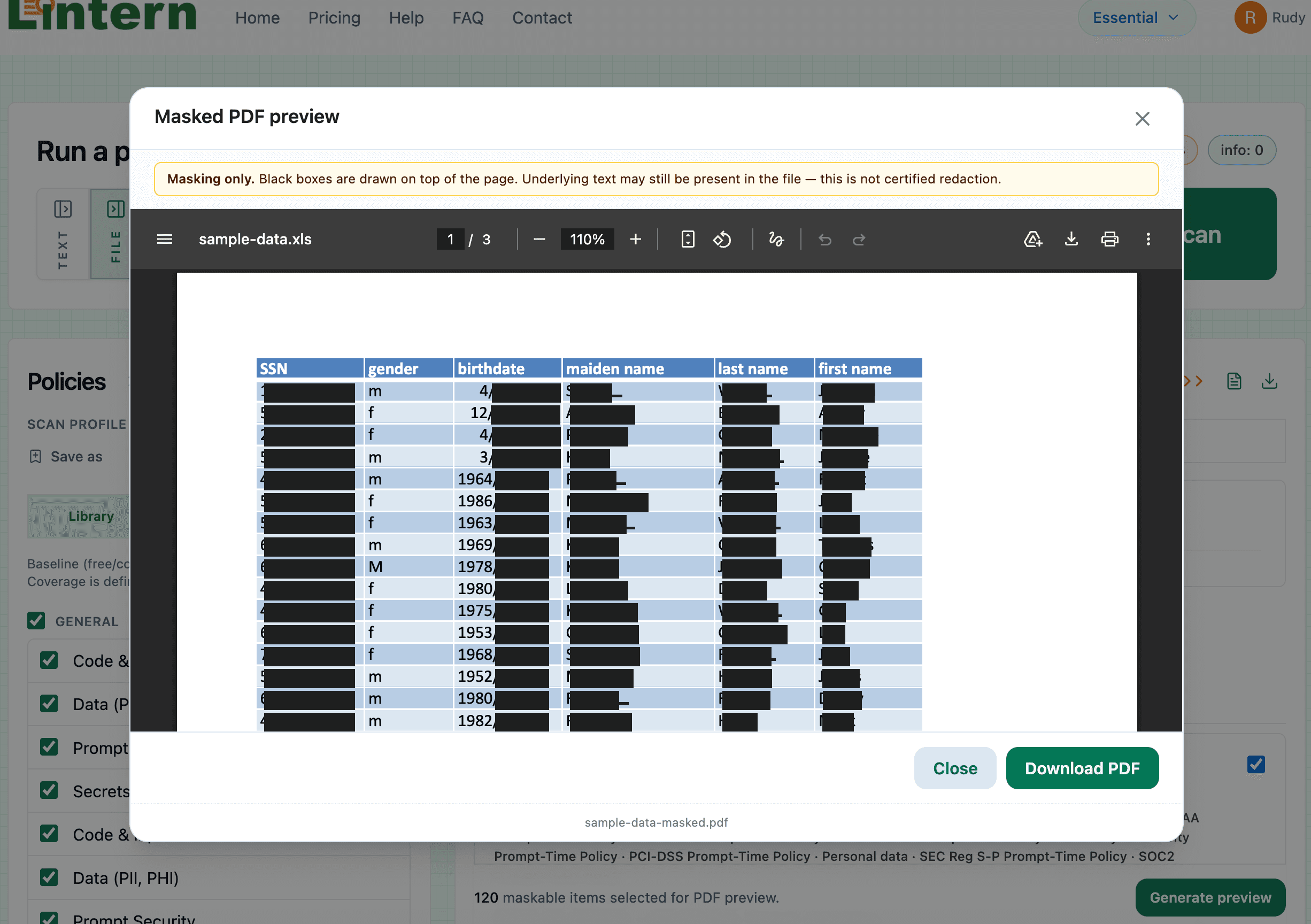
- Where supported, apply redactions or PDF masking from the same workspace.
What is Lintern?
Lintern is a local-first scanning and review tool that helps individuals and small teams find sensitive information in pasted text and files—.txt, .pdf, .docx, and .xlsx—before content is shared, exported, or published.
It uses deterministic rules and optional local semantic matching (where supported) from packs you enable to flag PII, PHI-style identifiers, secrets, file paths, and other policy risks—with your workflow structured and under your control.
Common use cases
Find emails, phone numbers, medical identifiers, secrets, and other risky content before it leaves your control.
- Check PDFs and Office documents for sensitive identifiers before distribution.
- Review logs or excerpts before sharing them with vendors or partners.
- Run policy checks on drafts before export, publication, or handoff.
- Scan resumes or CVs for sensitive data before sharing them outside your organization.
Plans for individuals and small teams
Start free to scan text and files for sensitive data. Upgrade for richer policy packs, optional semantic checks, and a more capable review workspace.
Free
$0
Try the workflow with basic checks and limited reviews.
- -Sample policies
Run a small set of built-in policy checks on your text.
- See full list
Essential
$9.99/mo
More policies, clearer findings, and exports for small teams.
- -Expanded policy packs
Unlock additional rules and severity levels in the review UI.
- See full list
Pro
$14.99/mo
Full review workspace, semantic signals, and priority limits.
- -Semantic matching
Local MiniLM-style signals for nuanced similarity without cloud LLMs.
- See full list